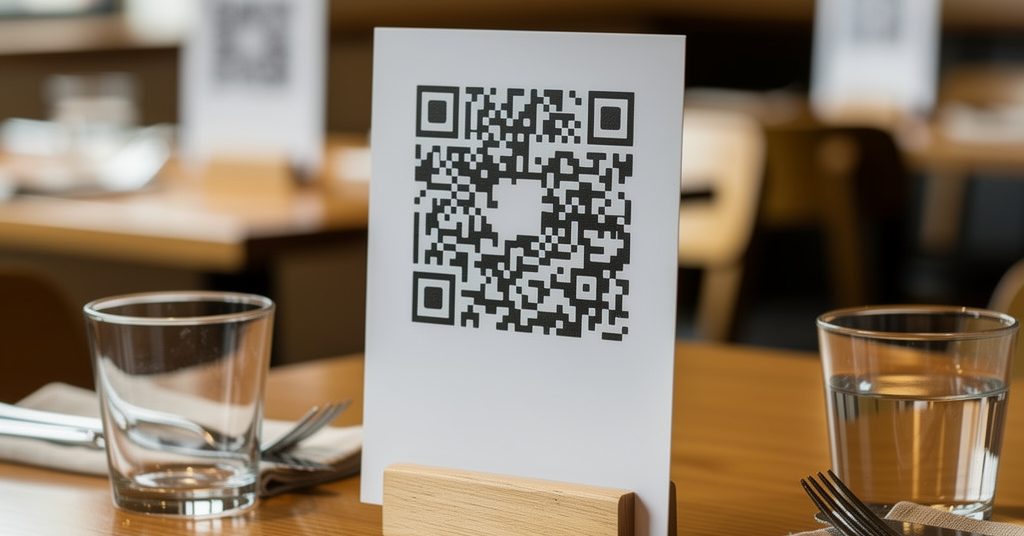
QR code menus for restaurants: an always up-to-date menu on every table
More and more restaurants and bars are dropping paper menus for a simple QR code on the table. The customer scans it, your menu opens on their phone — always up to date. Here's why it works so well, and how to set it up.
What is a QR code menu?
It's a small square your customers scan with their phone. No app to download: they open the camera, point it at the code, and your menu appears in the browser. On the table, a little stand or sticker invites them to "Scan to see the menu".
Why put one on your tables
- Always up to date — your customers always see the current menu, never an old printed one.
- No more reprinting — change a dish or a price without reprinting a single sheet.
- Cheaper and cleaner — no worn, stained paper menus to replace.
- Showcases your dishes — add photos that make people want to order.
- Nothing to install for the customer — it works with any phone camera.
The trick that changes everything: a fixed QR, a menu that evolves
This is the heart of it. The QR code itself never changes — you print it once and stick it on your tables. But the menu behind it is editable any time: an item sold out, a new price, the dish of the day. You update it in two minutes from your phone, and the QR on the tables instantly shows the new version. You print once, you update forever.
How it works, in practice
- Create your free page and add your menu (photos or text) and your info.
- Print your QR code — it's generated automatically. See our free QR code guide.
- Place it on your tables — a small stand, a sticker, or at the entrance.
- Update whenever you want — the same QR always points to your latest menu.
More on getting your restaurant online in our guide for restaurants.
Not just for restaurants
Bars, cafés, food trucks, even a waiting room: anywhere you'd hand someone a menu or a price list, a QR code on the table or counter does the job — and stays current.
Put your menu on your tables today
Create your page, print your QR code, and update your menu whenever you like. Free, no app for your customers.
Create my page for freeFrequently asked questions
Is a QR code menu free?
Yes. With SmartShopAgent, creating your page, generating your QR code and printing it is entirely free. Your customers access it for free too.
Do my customers need to install an app?
No. They just open their phone's camera, point it at the QR code, and your menu opens in the browser. No app to install.
What if I change my menu?
That's the whole point: you edit your menu online (item sold out, new price, dish of the day) and the QR code on your tables instantly shows the new version. No reprinting needed.
Do I need a website or POS software?
No. A simple SmartShopAgent page is enough. No site to build, no software to connect: you fill in your details and your menu is online.